
 en
en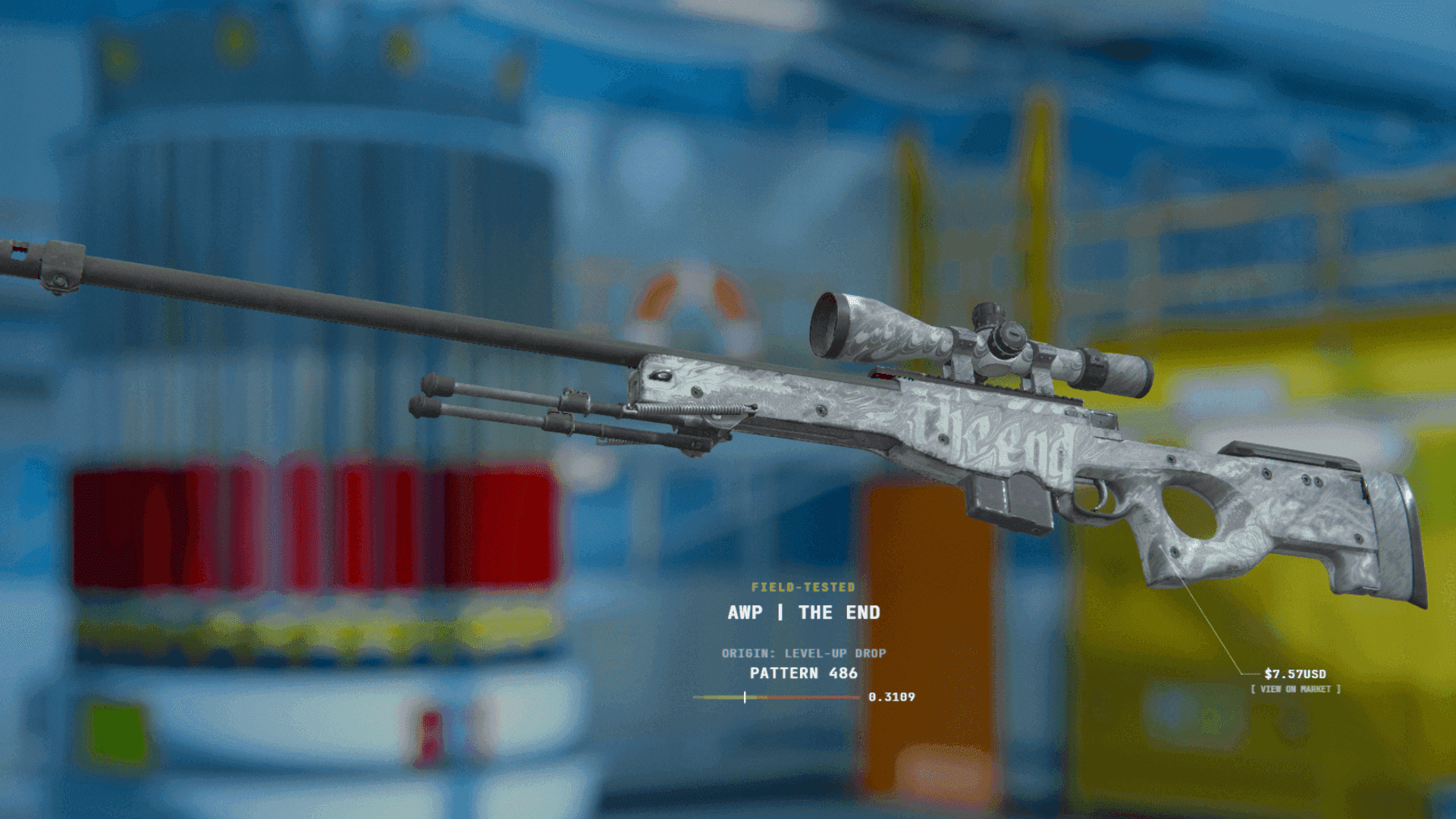
CS2 Skins Wear Rating and Float Values Explained

12 Oct, 2026, 03:36
|Last updated: 12 Oct, 2026, 03:36
Evaluating CS2 weapon skins requires looking beyond simple condition labels. Behind every Factory New or Battle-Scarred tag lies a precise metric: the Float Value (or Wear Rating). Discovering float values reshaped how players trade and collect skins.
A skin's float value directly governs texture degradation, visual opacity, and market valuation. Understanding float rarity and wear thresholds is essential for navigating the CS2 skin market.
What Is a CS2 Float Value? Technical Foundation
In Counter-Strike 2, a skin's float value is a permanent decimal assigned between 0.00 and 1.00 when an item is unboxed, dropped, or crafted through a Trade-Up Contract. Skins do not wear down from gameplay; an item used in thousands of matches retains its exact original float value. Stickers, nametags, or Steam trades do not change this value.
Technically, CS2 uses IEEE-754 32-bit single-precision floating-point numbers to represent wear. This provides roughly seven decimal digits of precision. Valve’s Source engine generates floats uniformly by choosing a random integer up to 2,147,483,647 and dividing it by 2,147,483,647.
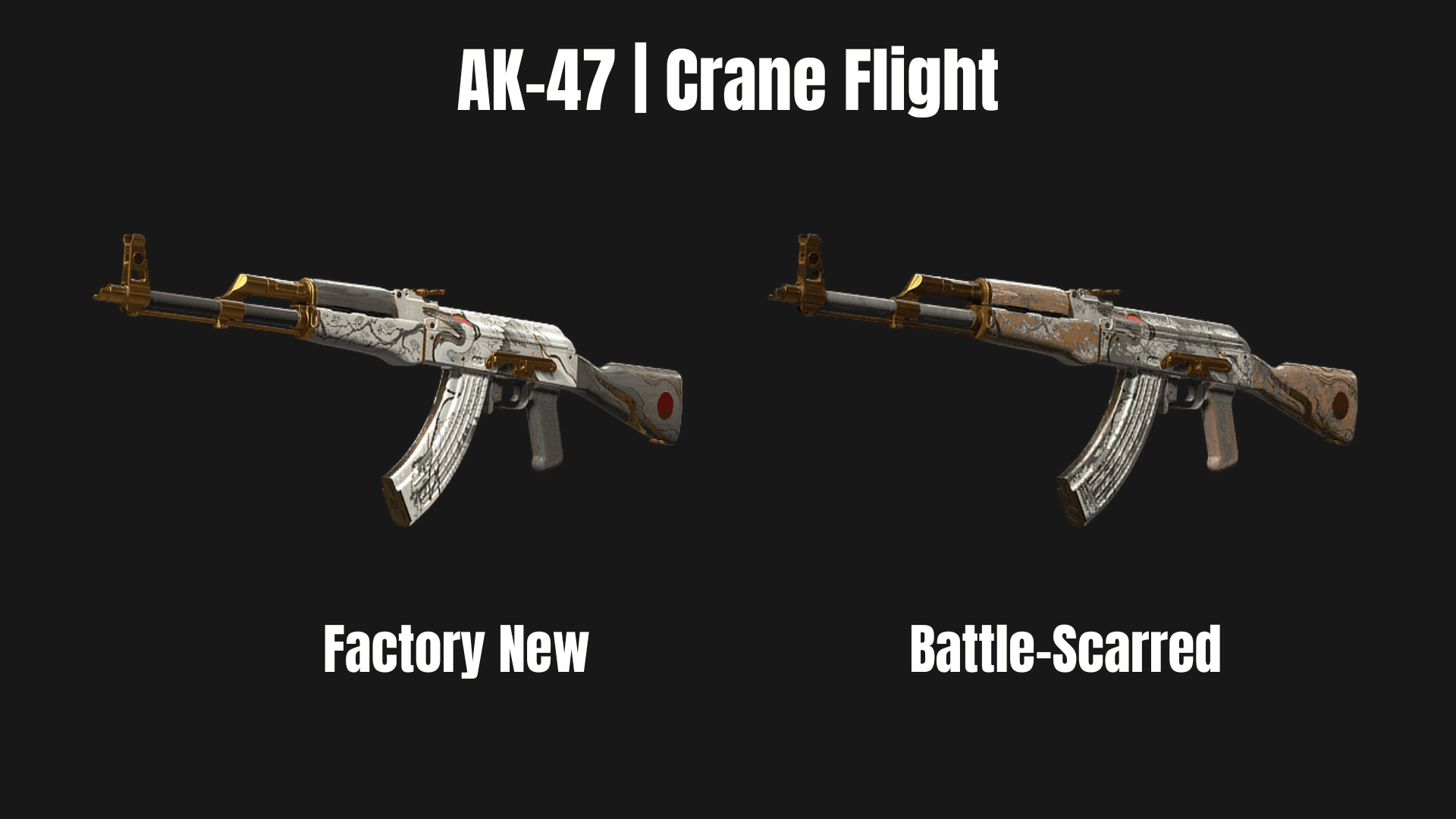
Floats also control wear texture opacity: values near 0.00 show minimal wear, while values near 1.00 show heavy abrasion or fading.
Inspecting Float Values
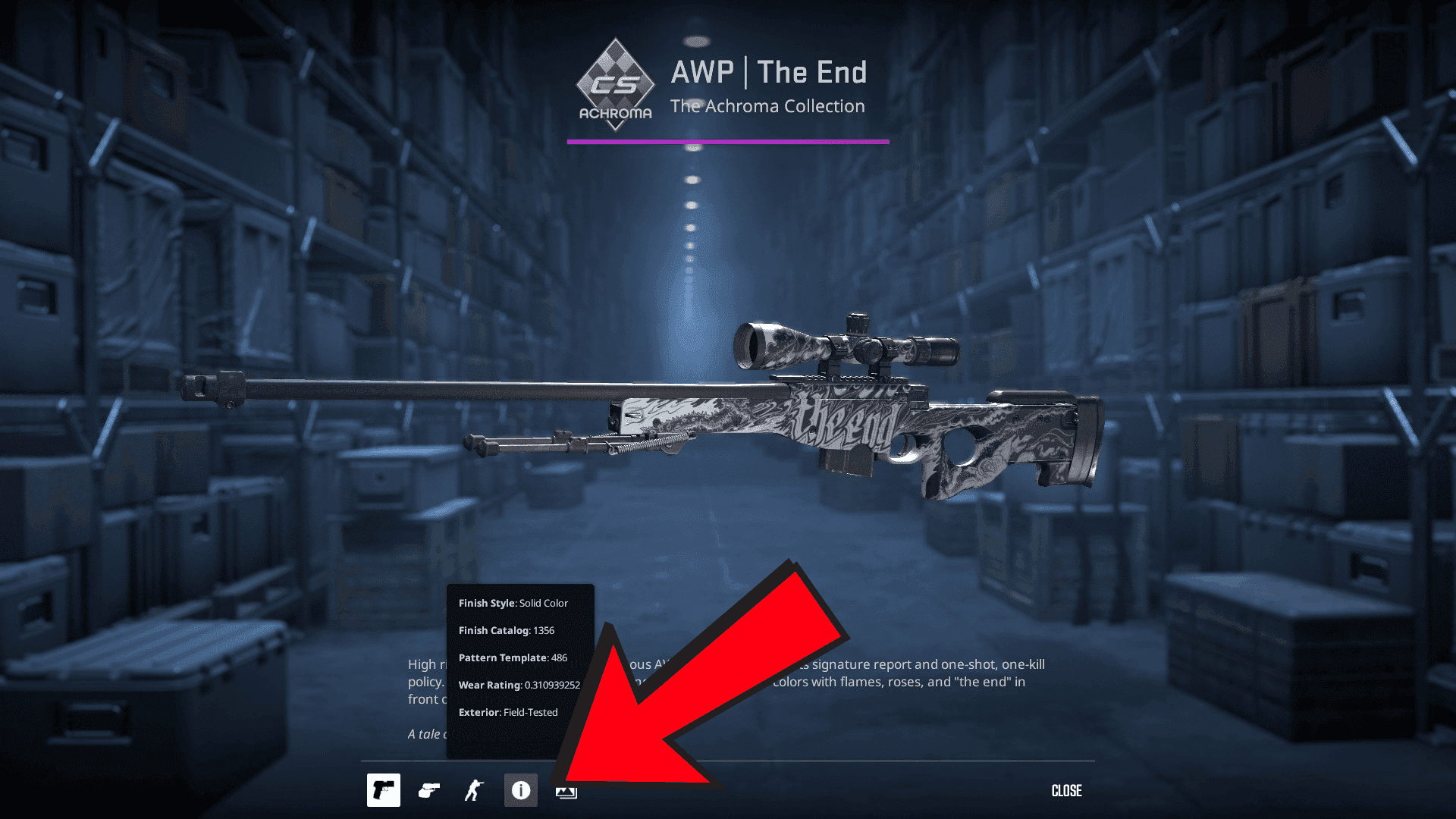
In Counter-Strike 2, inspecting float values is simple: right-click any skin in your inventory, select Inspect, and hover over the info icon to reveal its exact Wear Rating and Pattern Template.
The Five Wear Rating Tiers and Float Thresholds
Valve divides the 0.00–1.00 float spectrum into five wear tiers. Experienced traders evaluate exact float values rather than tier labels alone, as lower-float skins within a tier look significantly cleaner.
| Exterior Tier | Float Range | Visual Features | Market Impact |
|---|---|---|---|
| Factory New (FN) | 0.00 – 0.07 | Pristine finish; minimal wear | Highest price premium; collector grade |
| Minimal Wear (MW) | 0.07 – 0.15 | Slight edge wear; paint ~95% intact | Best balance of visual quality and price |
| Field-Tested (FT) | 0.15 – 0.38 | Visible scratching on body | Broadest range; sweet spot for play skins |
| Well-Worn (WW) | 0.38 – 0.45 | Heavy abrasions, dulled finish | Often skipped due to a narrow FT price gap |
| Battle-Scarred (BS) | 0.45 – 1.00 | Severe scuffing, patina darkening | Cheapest tier, except for rare extreme floats |
Finish Styles: How Finish Types Influence Wear Visuals
Float value determines how much wear is applied, but finish style dictates how wear manifests on the gun model:
-
Custom Paint Job & Solid Color: Finishes like the AK-47 | Vulcan or Redline wear by physically scraping off paint layers, exposing bare silver metal underneath.
-
Patina & Gunsmith: Finishes like the AWP | Medusa, M4A1-S | Blue Phosphor, or AWP | Atheris do not scratch to raw metal. Instead, higher floats cause paint to darken or lose luster while keeping artwork intact.
-
Rusted & Rugged Aesthetics: Finishes like Rust Coat or Safari Mesh leverage high float values to enhance a weathered aesthetic.
Float-Capped Skins and Restricted Ranges
Not every skin in CS2 can exist across the entire 0.00 to 1.00 float spectrum. Creators and Valve hard-code custom float limits into weapon files, creating float-capped skins.
-
For example, the AWP | Asiimov is restricted between 0.18 and 1.00, making Factory New and Minimal Wear Asiimovs impossible to unbox or craft.
-
Conversely, the Glock-18 | Fade and Desert Eagle | Blaze are capped between 0.00 and 0.08, restricting them almost exclusively to Factory New condition.
-
Similarly, Crimson Web knife finishes feature a minimum float cap of 0.06, leaving an extremely narrow 0.01 window (0.06 to 0.07) for Factory New copies to exist — making Factory New Crimson Web knives exceptionally rare.
How Skin Wear Drives CS2 Market Prices
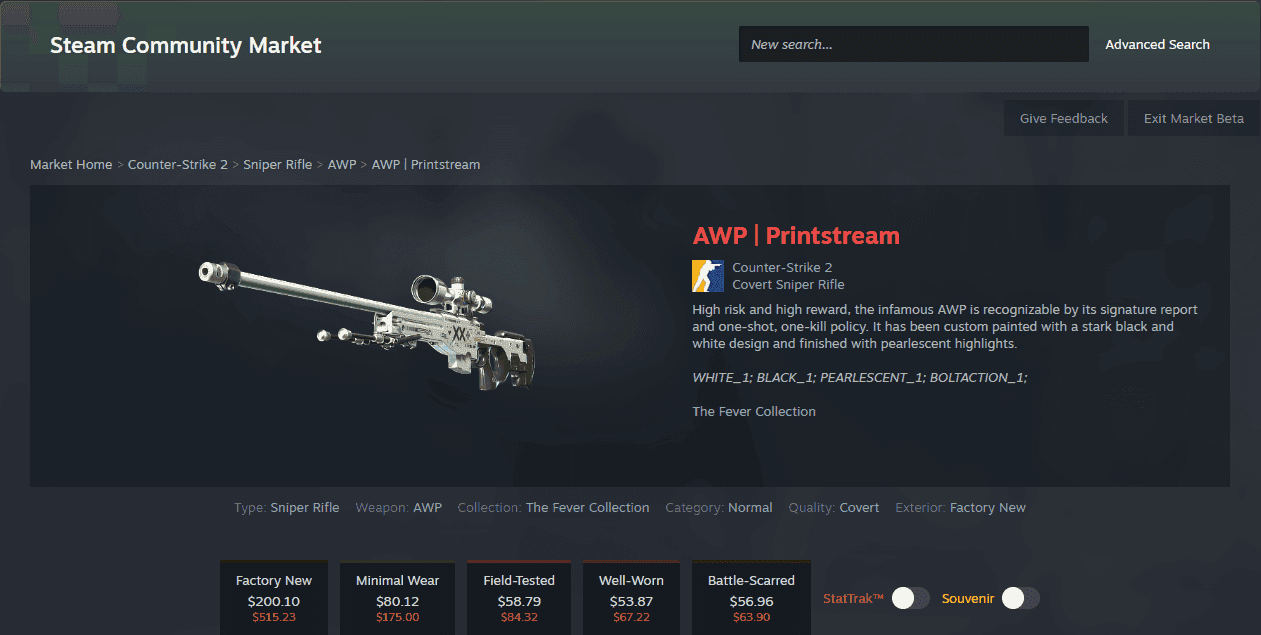
Market data from hundreds of thousands of skin sales reveals clear patterns in how float values affect pricing:
-
Factory New Price Spike
-
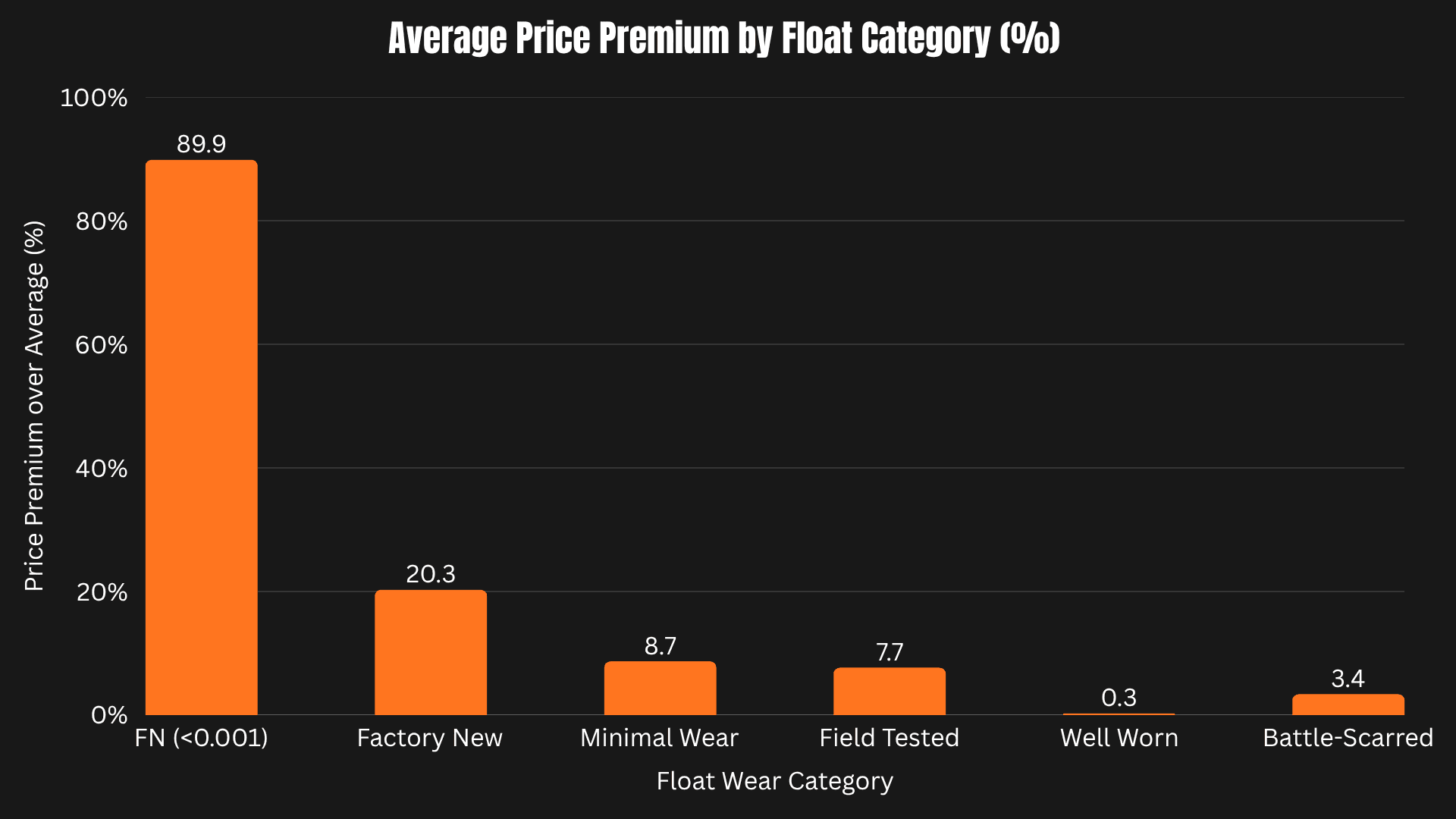
Clean Factory New Skins: The cleanest 10% of Factory New (FN) items sell for an average +20.3% price premium over typical FN copies.
-
Ultra-Low ("Triple Zero") Floats: Items with floats under 0.001 experience a dramatic jump, commanding an average +89.9% price markup.
-
Where the Premium Ends: Once float values cross 0.02, the extra price bonus disappears—meaning 0.03 and 0.06 FN skins sell at virtually identical prices.
-
The Battle-Scarred Price Inversion
-
Clean Floats Add Value in FN, MW, and FT: Low floats boost prices for Factory New (+20.3%), Minimal Wear (+8.7%), and Field-Tested (+7.7%) skins.
-
Well-Worn Gains Nothing: Clean floats in Well-Worn yield virtually no measurable premium (+0.3%).
-
Dirtiest Battle-Scarred Skins Sell for More: In Battle-Scarred, the trend flips — the dirtiest 10% sell for +3.4% more than average BS items. Extremely high floats above 0.95 (such as the "Blackiimov" AWP Asiimov) command massive collector overpay.
-
Percentage vs. Dollar Premiums
-
Budget Skins (under $20): Cheap skins experience larger percentage markups (+30.3% for the top 10% cleanest) due to strong demand from budget collectors.
-
Expensive Skins (over $500): High-tier skins show smaller percentage markups (+5.0% for the cleanest 10%), but that smaller percentage represents a substantial price increase.
Trade-Up Contract Float Math
In a CS2 Trade-Up Contract, ten input skins of the same rarity tier are combined to generate a single higher-tier output skin. The wear rating, or float value, of the resulting item is calculated mathematically using the average float of the ten input skins scaled across the target output skin's predefined minimum and maximum float boundaries
To learn more about Trade-Up Contracts, you can check out our guide HERE.
Float Value vs. Pattern Index
Float Value differs from the Pattern Template (Pattern Index). Float dictates wear opacity, while Pattern Index (0–999) governs artwork placement.
For example, Case Hardened "Blue Gems" depend on Pattern Index, while float determines scratch severity.
Frequently Asked Questions (FAQ)
Does using a weapon skin in CS2 gameplay increase its float value or wear?
No, a skin's float value is permanent and unchangeable once generated. Gameplay, trading, applying stickers, or adding nametags will never alter its wear rating.
How does the CS2 engine mathematically generate a skin's float value?
CS2 generates a uniform random 32-bit integer up to 2,147,483,647 and divides it by that maximum value to map a ratio onto the IEEE-754 floating-point scale. This provides roughly seven decimal digits of precision between 0.00 and 1.00.
Why do two skins in the same wear tier look noticeably different?
Wear tiers cover wide float spans, so a skin near a tier's lower boundary has much less paint wear than one near the upper limit. For example, a 0.15 Field-Tested skin looks almost Minimal Wear, whereas a 0.37 float displays heavy scratching.
Why are Factory New copies impossible to unbox for certain skins?
Developers hard-code custom minimum and maximum float boundaries into specific weapon files. For instance, the AWP Asiimov is capped at a minimum float of 0.18, making Factory New (0.00–0.07) mathematically impossible.
How do I calculate the output float for a Trade-Up Contract?
You can use the formula Output Float = (Output Max - Output Min) × Average Adjusted Input Float + Output Min or you can also use online Float calculators like CSFloat and other sites.
What is the difference between Float Value and Pattern Index?
Float Value determines paint wear and scratch opacity, whereas Pattern Index (0–999) dictates how artwork is positioned on the weapon model. Pattern determines if a skin is a rare "Blue Gem," while float determines how clean or scratched it appears.
How do I check the exact float value of a skin in CS2?
Right-click the weapon skin in your CS2 inventory, select Inspect, and hover over the info icon (i) at the bottom of the screen to view its exact Wear Rating decimal.
Follow Strafe Esports for the latest Counter-Strike 2 news. Follow us on X for more coverage, and visit the Strafe YouTube channel for exclusive interviews, press conferences, and more.
Featured Image Exclusive to Strafe Esports