
CS2 Now Lets You Apply Stickers to the C4; Here’s How

CS2 Now Lets You Apply Stickers to the C4; Here’s How

24 Sep, 2026, 21:29

|

Last updated: 24 Sep, 2026, 21:31

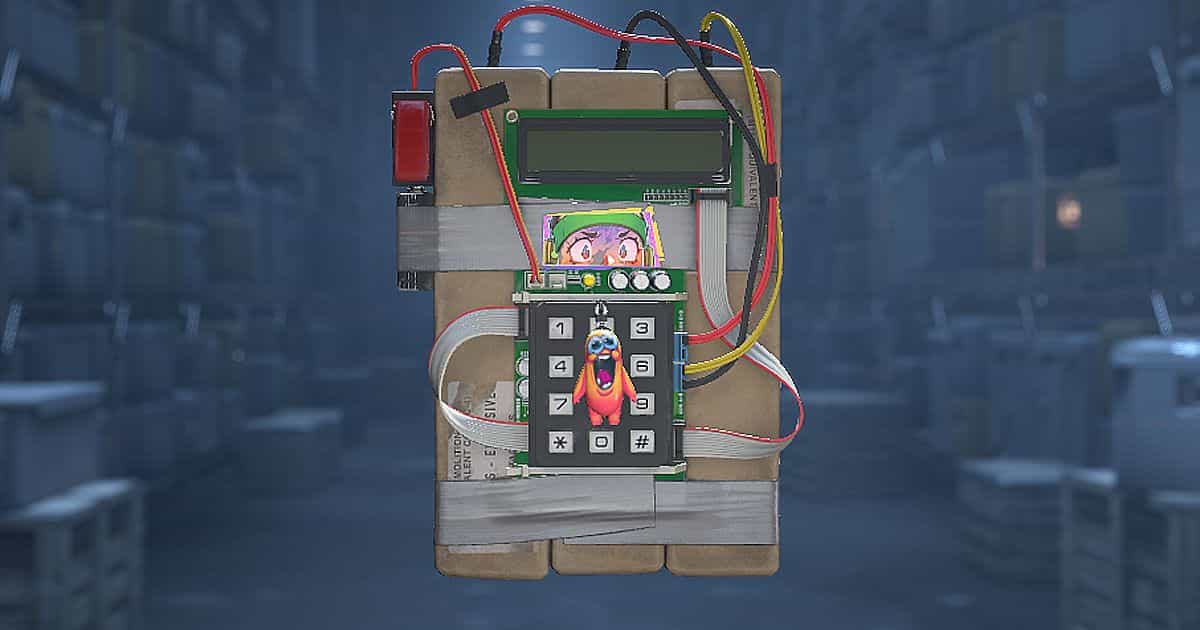
You can now apply stickers to the C4 in Counter-Strike 2. Valve added the customization option in the September 22, 2026 update, allowing players to decorate the bomb from their inventory with placement and rotation controls similar to those available for weapons.

The feature appears in the miscellaneous section of the official patch notes. It arrived with the Rush Hour update, which also introduced Rush mode, changes to Premier map selection, and the option to reload silently.

How to Apply Stickers to the C4 in CS2

To apply a sticker to the C4 in CS2, you'll need an unused sticker in your inventory. Here's how:

  • Open your CS2 inventory and find the C4. Use the Equipment and Misc filters to locate it more easily.
  • Select the bomb and choose Apply Sticker.
  • Choose the sticker you want to use.
  • Adjust its position and rotation in the preview.
  • Check the result and confirm the application.
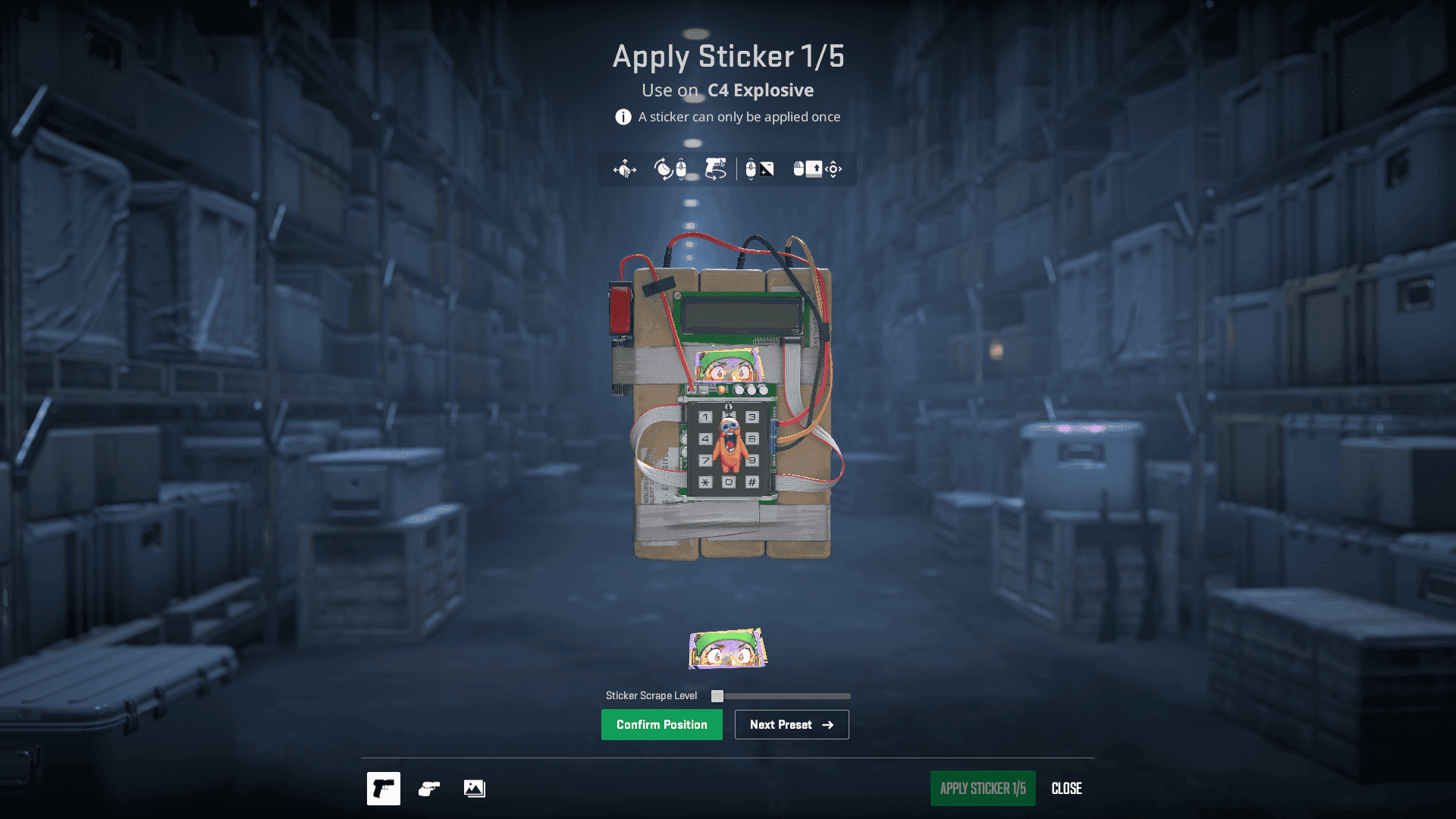
You can customize your C4 with your best stickers in just a few minutes (Image: CS2)

How Many Stickers Can You Apply to the C4?

You can apply up to five stickers to the C4 in CS2, including on the back of the model. Rotate the C4 in the customization screen to choose where to place each one.

Can You Remove Stickers From the C4?

Yes, stickers on the C4 can be scraped or removed, just like those on weapons. However, removing a sticker destroys it: it won't return to your inventory to be applied to another item. Make sure you're happy with the preview before confirming your choice.


Follow Strafe Esports for the latest Counter-Strike 2 news, and our X account for the latest content and coverage. Also, stay tuned to Strafe's YouTube channel for exclusive interviews, press conferences, and more.

Featured image credit: Valve

Read more:

Latest CS2 Update Introduces New Premier Map Selection, Crosshair Styles, and Chicken Egg(?)

Complexity Ceases Operations After 23 Years

CS2 New Sniper Rifle? Everything We Know About the New Gun

Clan Tags Return to CS2 Alongside Silent Reloads

CS2 Introduces First New Game Mode in 3 Years

Latest news

Complexity Ceases Operations After 23 Years

Complexity Ceases Operations After 23 Years

Founded in 2003, Complexity has ceased operations after 23 years. Jason Lake explained the decision, thanked the community, and said he is not retiring from esports.
23 Sep
Bruno Rodrigues

Indonesia to Host the IESF World Esports Championship 2026

The IESF World Esports Championship 2026 is heading to Indonesia, bringing together athletes from around the world across five esports titles.
23 Sep
Sofia Guimarães

CS2 New Sniper Rifle? Everything We Know About the New Gun

References found after the Rush Hour update suggest Valve is testing a weapon called the M14 in CS2, although there is no confirmation that it will be released.
23 Sep
Bruno Rodrigues

Latest CS2 Update Introduces New Premier Map Selection, Crosshair Styles, and Chicken Egg(?)

After months without dropping a significant update, Valve has finally dropped one of the biggest Counter-Strike 2 content updates of 2026. For starters, the update introduces a completely new 3v3 game mode — Rush. It finally brings back Clan tags alongside a silent reload feature. Lastly, the update completely overhauls the Premier Map selection and adds multiple crosshair options and a chicken egg (?).
23 Sep
Ganesh Jadhav

CS2 Introduces First New Game Mode in 3 Years

CS2 has introduced a brand-new game mode after a long time. Called "Rush", this 3v3 mode features fast-paced action. Here's a breakdown of how it works.
23 Sep
Adarsh J. Kumar

Clan Tags Return to CS2 Alongside Silent Reloads

Valve has brought Clan Tags back to Counter-Strike 2 while adding slower silent reloads and several other gameplay and customization changes.
23 Sep
Bruno Rodrigues

Comments (0)

Log in to comment on this match