
 en
en
How to Practice Nade Line-ups in CS2

Grenades are what gives Counter-Strike its tactical aspect. The seemingly simple utilities add a layer of complexity to the game, making it more than just a regular FPS. When used appropriately, these nades can single-handedly change the outcome of a round.
Naturally, mastering these pieces of utils becomes an important part of learning CS2. This guide will help you with exactly that, it will help you understand the five CS2 nades, how to use them efficiently, how to set up a practice server for nade line-ups and everything you need to know about CS utility.
How to Start a CS2 Nade Practice Session
One of the biggest practice tools that was shipped with Counter-Strike 2 was the nade camera. Earlier, it was only accessible via console but now this can be easily enabled using the GUI in the practice menu.
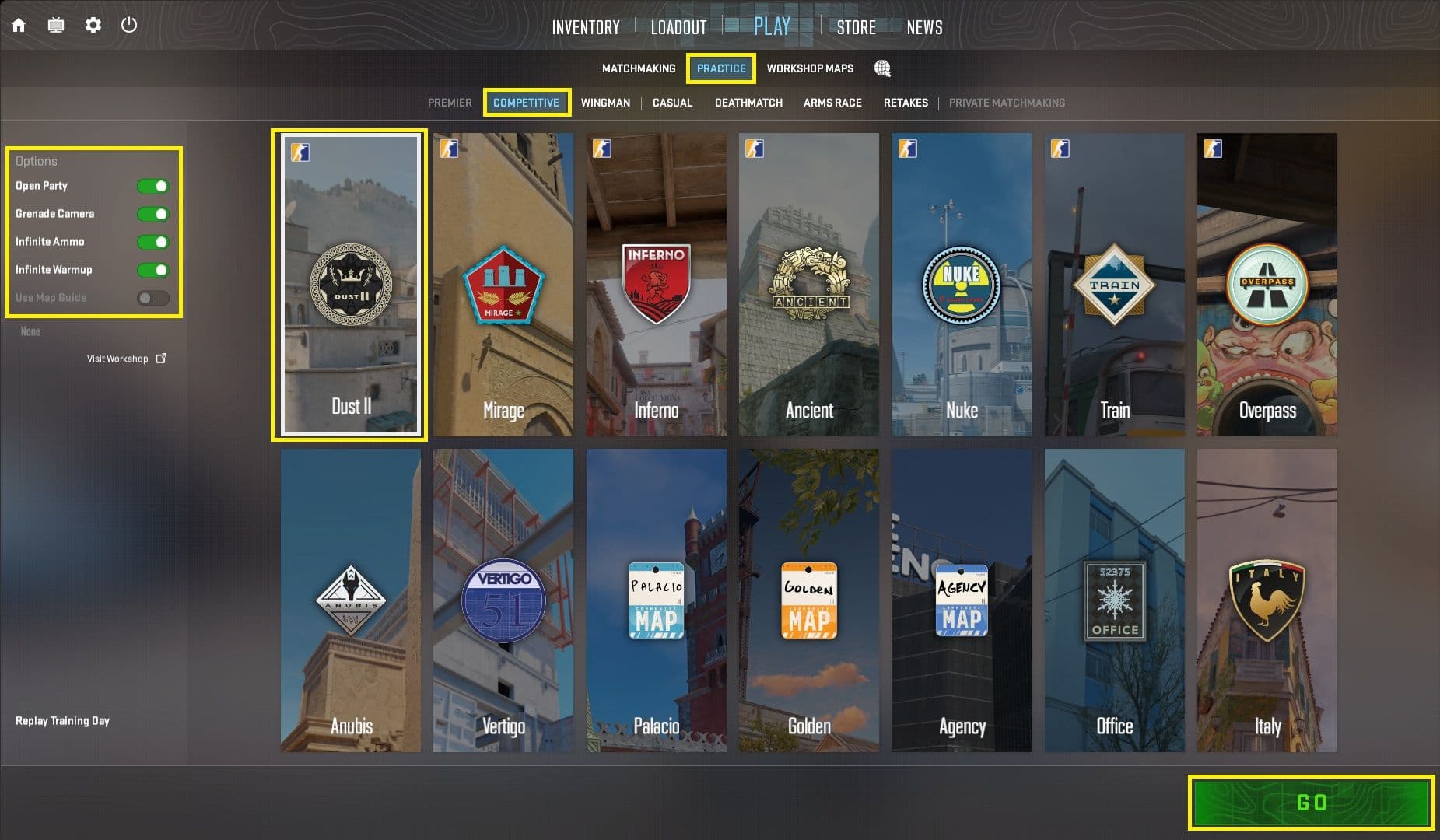
The practice server menu also helps you set up a practice server to practice line-up infinitely.
The three toggles are:
- Grenade Camera - Previews where the nade lands and also shows the trajectory
- Infinite Ammo - Allows you to throw nades multiple times without need to rebuy
- Infinite Warmup - Infinite money and roundtime to practice without disruption
These completely remove the necessity of any configs which were previously required to set up a nade practice server.
To start a nade practice session:
- Click on Play
- Navigate to Practice > Competitive
- Toggle Grenade Camera, Infinite Ammo and Infinite Warmup
- Select the map you want to practice and click on GO
This creates a server without bots and allows you to practice nades without disruption for unlimited time. Furthermore, the following commands in CS are good QoL add-ons.
You can find our guide on how to enable console [here]
|
Command |
Value |
Description |
|---|---|---|
|
sv_cheats |
1 - Cheats 0 - No Cheats |
Allows for customization |
|
mp_buy_anywhere |
1 - True |
Allows buying anywhere on the map |
|
mp_buytime |
value in seconds |
Set to Round time for buying all time |
|
bind mouse4 noclip |
Binds Mouse button to noclip so you can move around the map in ghost mode. You can use any other button. |
Best CS2 Settings for Easier Line-ups
Once you understand how to set up a practice server, the next step is enabling grenade line-up reticles. These seemingly simple settings help you create/practice precise line-ups and improve the reproducibility.
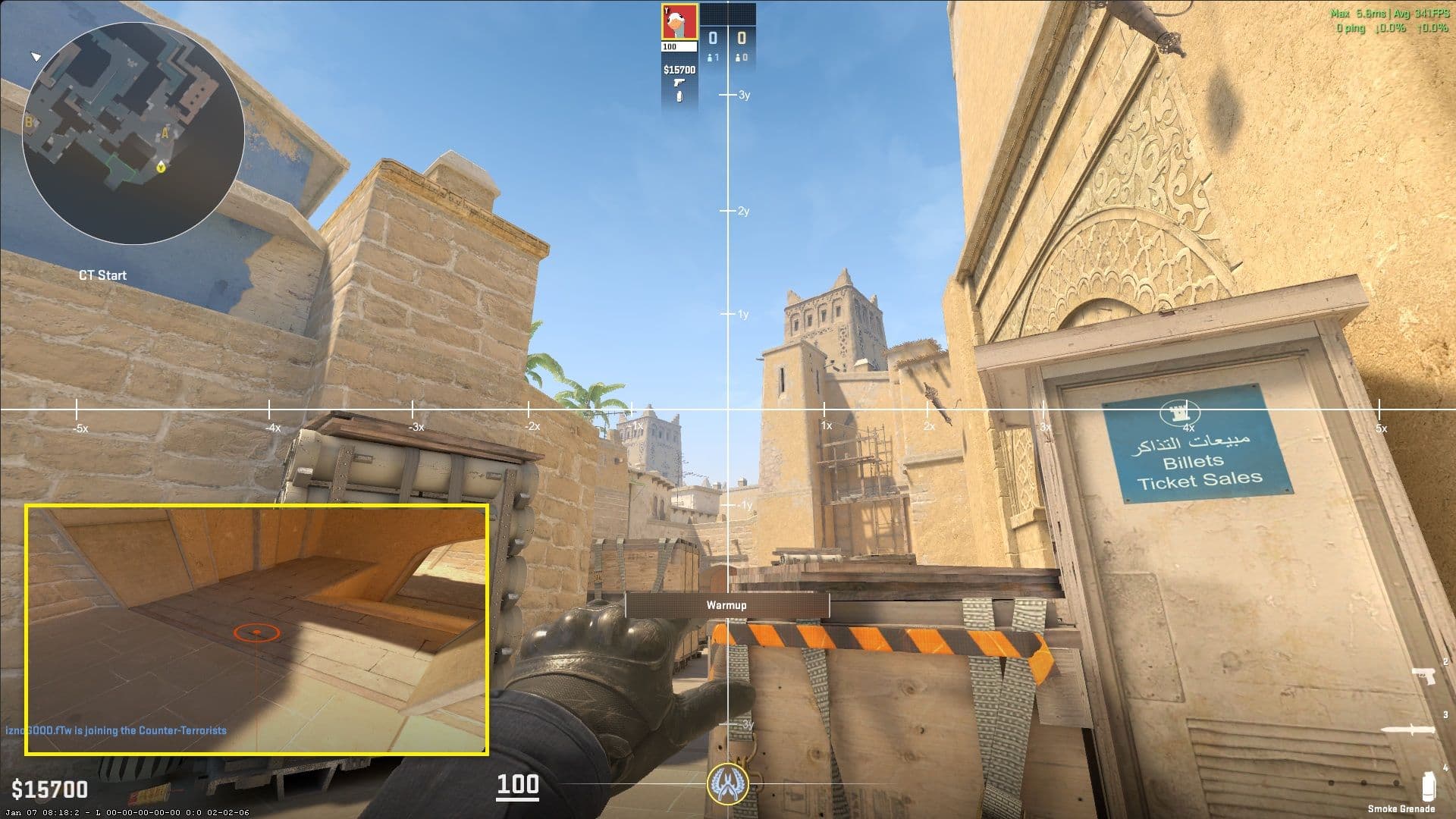
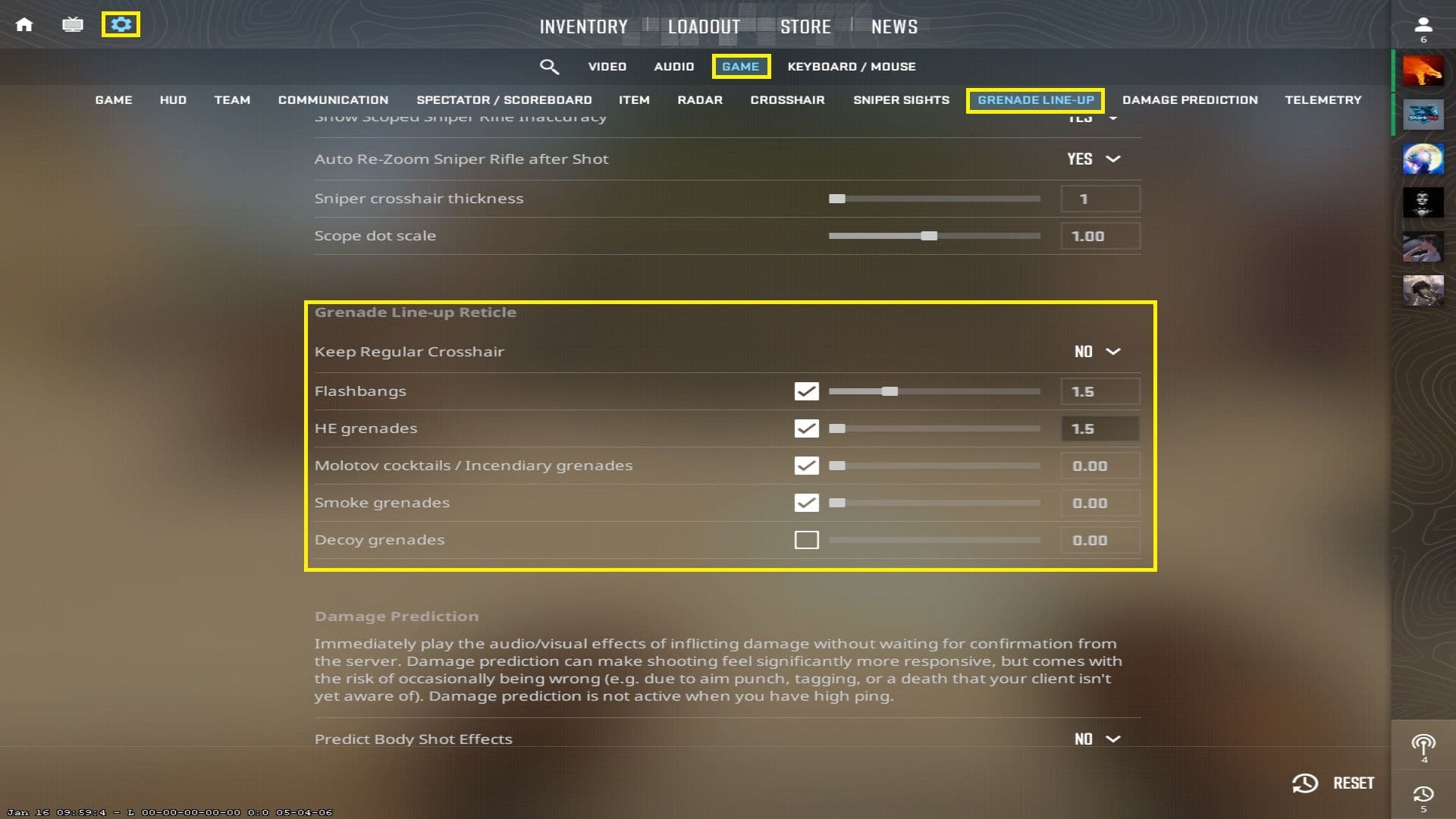
To enable Grenade Line-up Reticle:
- Go to Settings > Game
- Navigate to Grenade Line-up Reticle
- Toggle ‘Keep Regular Crosshair’ to ‘NO’ to enable the reticle
- Toggle it on for every nade
- Add a delay to flash/grenade so the reticle doesn’t interfere with your aim
Where to Find CS2 Nade Line-ups?
The best place to find CS2 lineups is via YouTube. Either simply searching for a particular lineup or a map nade guide should help. One good channel for this is CS tactics where you can find a nade setups, multiple smoke,flash, molotov and grenade lineups.
Consistently keeping up with CS2 esports can also help you find new and better line-ups as used by the pros. To keep track of the pro games use the Strafe App and the matches page.
Another impressive tool for practicing line-ups are workshop maps. One such series of maps is the Utility series by !!! in the CS2 Workshop.
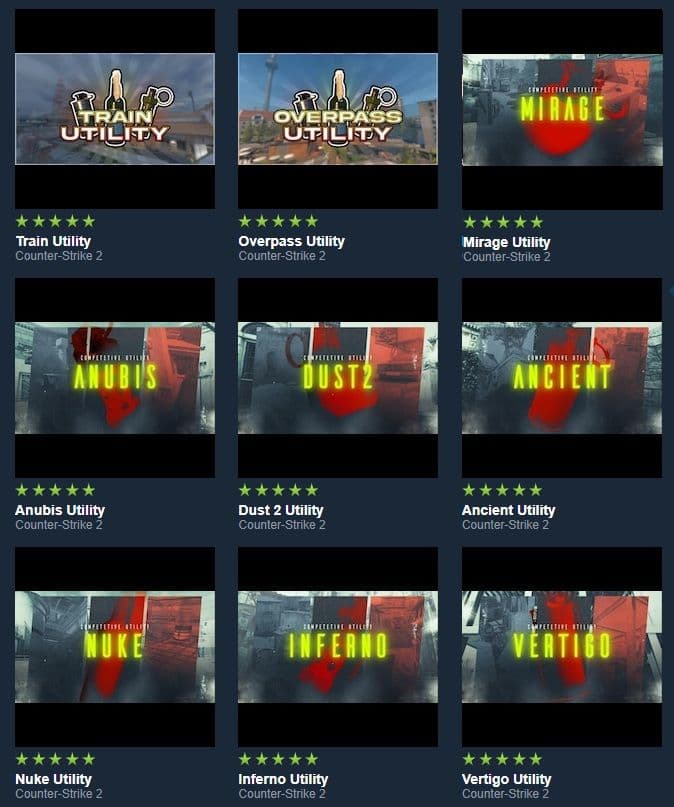
To practice nades using these maps is simple:
- Subscribe to the Maps in the CS2 Workshop [Link to the maps]
- Log into the game
- Click Play > Workshop Maps
- Choose the map you want to learn lineup for
- Go through the array of available lineups.
Once you have the lineups, switch to your practice server and practice these without instructions.
Using Map Guide to Learn CS Nade Line-Ups
With the latest CS2 update, you can use Map Guide toggle available for Casual and Retakes matchmaking modes to learn map specific line-ups. The Map Guide is a CS2 tool that will instruct you on how to use flashes and smokes correctly while playing against real players.
To activate Map Guide:
- Click on Play
- Under Matchmaking choose either Casual or Retakes
- Toggle Map Guide
- Select Go
- Once you are in the game, you will be instructed on how to throw your utility.
How to Choose Best CS2 Line-ups?
With so many tools available at hand with multiple line-ups for the same smoke or flashbang, it becomes crucial to choose the right ones. A mistimed utility is worse than no utility at all, especially a flash or molotov.
So what should be the consideration for choosing the right utility?
- Ease - Line-up should be easy to reproduce. That means any line-up that takes an elaborate set-up should be avoided
- Timing - A crucial factor in any line-up is timing. Does the utility land on time while not compromising your timing?
- Positioning - Any line-up that puts you in an uncomfortable position can be avoided.
Using these as a rubric for any line-up would eventually help you find the correct line-ups that are not only easier to throw but easier to understand.
How to Practice CS2 Nade Line-ups Efficiently
The most effective way to master CS2 nade line-ups is consistent repetition. But not just repeating these nades aimlessly, instead, understanding how the line-up works and the general idea how far the nades travel.
A good routine that accomplishes both these objectives is as follows:
- Get your line-up references ready
- Boot into the practice server
- Throw every nade, successfully thrice and do it once more but faster.
- Once you are done practising, switch to a PvP game either Casual or Competitive and try throwing the same grenades with the team to better understand timings.
- Using them immediately after also ensures those line-ups are stuck in your brain.
An additional layer to this will be creating your own line-ups after a week of practicing the already existing line-ups.This further ingrains the in-game physics of the utility, further adding to your understanding of the game.
Conclusion
Mastering CS2 utility i.e. nades is what truly adds tactical depth to CS2. Especially with improved practice tools like Map Guide, Grenade Camera, learning them has become much easier than it was previously. So hop in the game, choose a map and start throwing utilities. Once you get a hang of it, you will not only help your team win the games but also improve your own understanding of the game.
You can find more such guides on Strafe
- How to Access CS2 Community Servers and Maps?
- How To Surf in CS2
- How to Show FPS in CS2
- How to make a private match in CS2?
- Understanding the CS2 In-Game Economy
- How To Unlock Premier CS2: Complete Guide
- How to change FOV in Counter-Strike 2?
Don't forget to check out Strafe Esports for all the latest Counter-Strike 2 news and our X account for the latest content and coverage of your favorite eSports. Also, subscribe to our channel on YouTube for exclusive interviews, press conferences, and more.
Featured Image Credits: Valve
FAQ
-
Do I need console commands to practice nade lineups in CS2?
No, you do not need console commands anymore to practice nade lineups. Simply, toggling Grenade Camera in the practice menu helps with line-ups.
-
What are the most important settings for practicing grenades in CS2?
The Grenade Line-up Reticle would be the most important setting for practicing nade line-ups
-
How do I set up a practice server for grenades in CS2?
Setting up a practice server is easy: Play > Choose Practice > Toggle Infinite Ammo, Infinite warmup and Grenade Camera > Choose a map and Go.
-
Where can I find reliable CS2 nade lineups by map?
The best way is to find them on YouTube or create them yourself.