
 en
en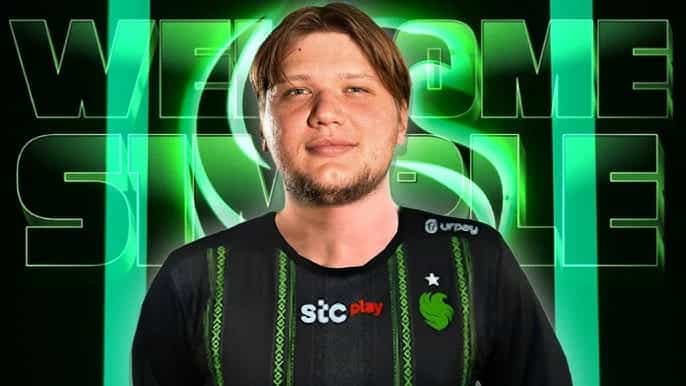
S1mple Crosshair Settings: How to Play Counter-Strike Like the Best
Oleksandr "s1mple" Kostyliev is widely regarded as one of the greatest players to touch the game in Counter-Strike history. His journey showcases the importance of precise aim, superior game sense, and optimized settings. Many aspiring players look to s1mple's setup as a blueprint for success, particularly his crosshair settings, which are integral to his sharp accuracy and consistent performance.
In this comprehensive guide, we'll explore not only his crosshair settings but also his mouse, video, and gear choices. By learning from s1mple’s approach, you can set up your game to be as efficient and performance-enhancing as possible.
S1mple’s Crosshair Settings
Crosshair settings are critical in CS2 as they provide visual cues for precision during fast-paced moments. S1mple opts for a small, static crosshair that emphasizes clarity and minimal distraction during firefights. Here's his crosshair setup:
Crosshair Code: CSGO-3wUf2-ww3TH-UpeGX-s5RjT-fxwPB
Alternatively, you can manually configure it through the console with these commands:
cl_crosshair_drawoutline 0;
cl_crosshairalpha 255;
cl_crosshaircolor 4;
cl_crosshaircolor_b 255;
cl_crosshaircolor_g 0;
cl_crosshaircolor_r 0;
cl_crosshairdot 0;
cl_crosshairgap -3;
cl_crosshairsize 1;
cl_crosshairstyle 4;
cl_crosshairthickness 1;
cl_crosshair_sniper_width 1.
Key Elements:
- Style: Classic Static;
- Size: 1;
- Gap: -3;
- Thickness: 1;
- Color: Custom (Red = 0, Green = 255, Blue = 255);
- Outline: Off;
- Sniper Width: 1;
S1mple’s crosshair is designed to maintain precision without distractions. The blue tint helps it stand out against most backgrounds, and the compact size ensures it doesn’t interfere with vision while aiming for headshots.

Mouse Settings for S1mple’s Precision
Beyond crosshairs, s1mple’s mouse settings are equally crucial for his legendary aim. He uses a top-tier lightweight mouse that provides swift and accurate movements essential for competitive play (more details on the Gear section)
Mouse Settings:
- DPI (Dots Per Inch): 400
- Sensitivity: 3.09
- eDPI (Effective DPI): 1236
- Zoom Sensitivity: 1
- Windows Sensitivity: 6
- Polling Rate (Hz): 1000
These settings enable s1mple to have precise control, especially in high-stress situations where rapid flicks or small, measured movements are critical. The slightly higher eDPI than usual allows him to balance between smooth tracking and fast reflex shots.
Video Settings: Maximizing Frames and Visibility
To optimize performance, s1mple employs specific video settings that focus on high FPS (Frames Per Second) and clear visuals. His goal is to minimize distractions while ensuring that his display is smooth and responsive.
Key Video Settings:
- Resolution: 1280x960 (4:3 aspect ratio, stretched)
- Refresh Rate: 360 Hz
- Scaling Mode: Stretched
- Display Mode: Fullscreen
- Anti-Aliasing: 8x MSAA
- Texture Filtering: Bilinear
- Shadow Quality: High
- Ambient Occlusion: Medium
- Boost Player Contrast: Disabled
- NVIDIA Reflex Low Latency: Disabled
This stretched resolution (1280x960) is a common choice among professional players as it makes enemies appear wider and easier to hit, especially during close encounters. Combined with his 360Hz monitor, s1mple’s setup ensures every frame is delivered smoothly, giving him an edge in reaction time.

Launch Options for a Competitive Edge
Like many top-tier players, s1mple customizes his CS2 launch settings to squeeze the best performance out of his system. His launch commands ensure his game runs smoothly without unnecessary elements like intro videos or frame rate caps:
-freq 360 -novid -console +fps_max 0
- -freq 360: Ensures his monitor refresh rate is locked at 360Hz.
- -novid: Skips the game’s intro video, allowing faster launches.
- +fps_max 0: Removes any frame rate cap, allowing the game to run at the highest possible FPS.
Gear That Complements S1mple's Gameplay
Having the right gear can make a significant difference in performance, and s1mple’s setup is carefully curated for competitive play.
Monitor - ZOWIE XL2566K: Refresh Rate of 360Hz, DyAc. Premium Settings like Black eQualizer (set to 10) and Color Vibrance (set to 12) improve visibility by enhancing the contrast of dark areas, making it easier to spot enemies.

Mouse - Logitech G Pro X Superlight: A lightweight, wireless mouse that combines speed with precision. Its reduced weight ensures faster flicks without sacrificing accuracy.

Keyboard - Logitech G915 TKL White: This tenkeyless mechanical keyboard gives more desk space for wider mouse movements, critical for fast reflex shots in tight spaces.

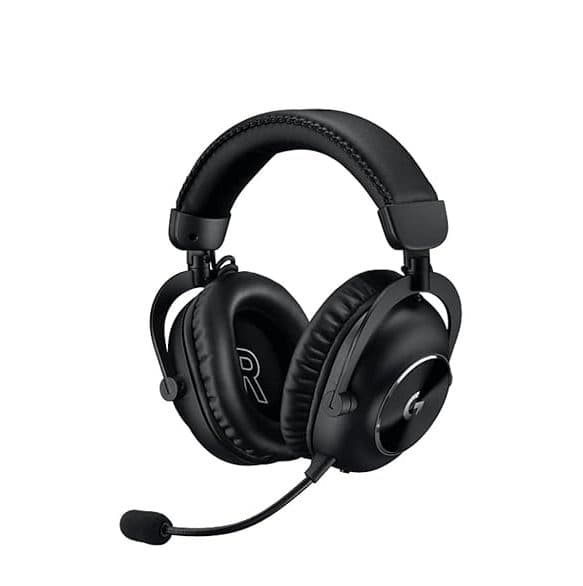
Headset - Logitech G Pro X 2 Headset: Crystal-clear audio is vital in CS2, and this headset ensures that he can hear every footstep and reload in his vicinity.
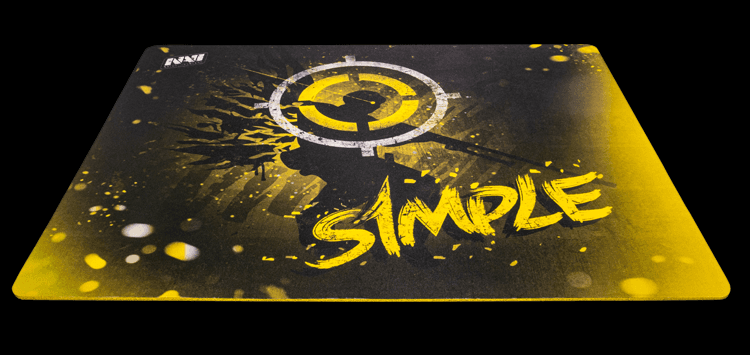
Mousepad - Hator ‘It’s nice to be s1mple’: A personalized mousepad offers consistency in glide, enhancing his control over every flick and micro-movement.
Gaming Chair - Backforce NAVI One: Designed for ergonomic support during long gaming sessions, this chair provides comfort and durability, allowing s1mple to maintain focus and performance during intense matches.
Earphones - Sennheiser CX 300S: As pretty much all in-person events demand the use of noise-canceling headsets, S1mple prefers using this earphone for maximum audio accuracy.

Gaming PC Specs:
- CPU: AMD Ryzen 9 5950XA high-performance processor with 16 cores, providing needed power for gaming and multitasking.
- GPU: AMD Radeon RX 6900 XT One of the most powerful GPUs available, offering top-tier graphics performance to ensure smooth gameplay at high resolutions and frame rates.
- Motherboard: GIGABYTE X570 AORUS ELITEA reliable and feature-rich motherboard that ensures stability and optimal performance for s1mple’s gaming rig.
Fine-Tuning Your Setup
While copying s1mple’s settings might seem like a quick way to improve, it’s important to understand that these settings are tailored specifically to his playstyle. His success comes from years of experience, experimentation, and finely tuned muscle memory. Still, you can use his settings as a baseline and adjust based on your own comfort and performance.
Here’s how to tweak your setup for success:
- Crosshair: Test different sizes and colors to find what best suits your aiming style.
- Mouse Sensitivity: Start with s1mple’s DPI and sensitivity, but adjust according to your preference for fast or slow movements.
- Video Settings: Focus on maximizing your FPS and maintaining a clear, unobstructed view of your enemies.
- Gear: Invest in reliable gaming gear. While you don’t need the exact same setup, having a quality mouse, keyboard, and monitor can greatly enhance your gameplay experience.
Are you ready to become the next S1mple?
S1mple’s dominance in Counter-Strike isn’t just a product of his natural talent; it’s also the result of years of refining his settings and gear to gain every possible advantage. From his precise crosshair to his highly customized video and mouse settings, every aspect of his setup is optimized for elite-level performance.
By implementing s1mple’s crosshair settings, tweaking your own mouse sensitivity, and upgrading your gaming gear, you can emulate the best in the world. Use this guide as a foundation, but don’t forget to experiment and adjust to find the perfect balance for your unique playstyle.
Featured image credits: Gouldy
Read also:
Counter-Strike AWP: A Deep Dive into the Legendary Sniper Rifle
Counter-Strike 2 Perfect World Shanghai Major 2024: Ticket Prices, Venue and More