
 en
en![How to use chat wheel voice lines in Dota 2 [Updated 2025]](/_next/image/?url=https%3A%2F%2Fwww.strafe.com%2Fesports-betting%2Fstrafe-news%2Fwp-content%2Fuploads%2Fsites%2F29%2Fchat-wheel-line.png.webp&w=3840&q=50)
How to use chat wheel voice lines in Dota 2 [Updated 2025]
Online games are well-known for fostering in-game toxicity. While many developers work to curb toxic behaviour, Valve took a different approach with Dota 2.
Rather than suppressing players' toxic interactions, Valve introduced additional features that encourage strategic psychological play. One notable example is the addition of chat wheel voice lines.
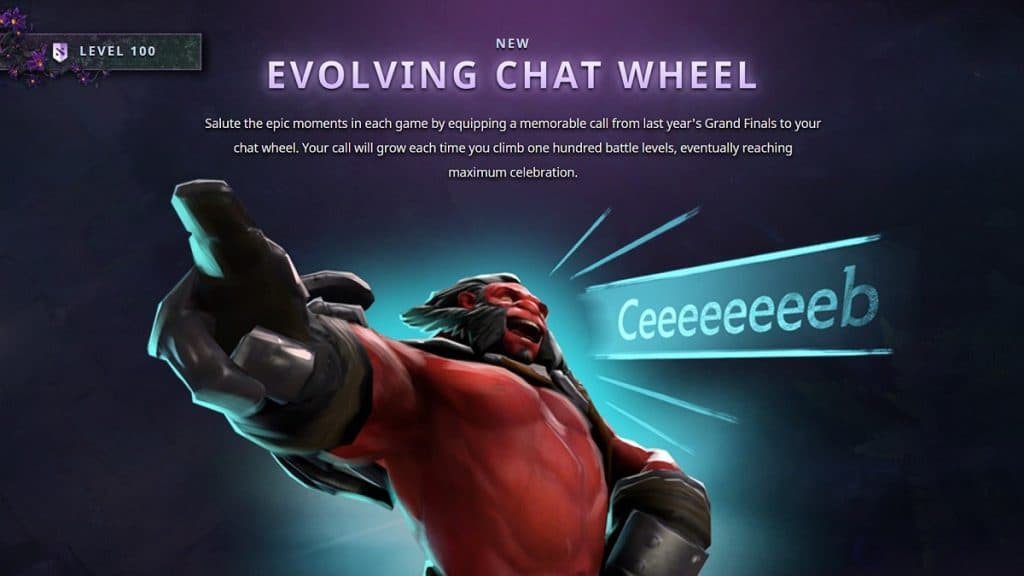
These iconic chat wheel voice lines serve as a versatile tool in Dota 2, enabling players to showcase their personality or taunt opponents after a well-executed move. Since their introduction, players have strategically used these lines to gain a psychological edge over their competition.
Timing is everything. Deploying the perfect chat wheel voice line at just the right moment can deeply unsettle the opposing team and encourage your team.
The Types of Chat Wheel Voice Lines
Before diving deeper into the article, it’s important to note that Dota 2 features several types of chat wheel lines. These also include chat wheel voice lines which contain hero chat wheel lines, seasonal chat wheel voice lines, and guild chat wheel voice lines, all categorized under the same group.
In Dota 2, heroes are enriched with unique lore, often inspiring them to exchange witty remarks with other heroes and react dynamically to in-game events. The hero chat wheel allows players to use these voice lines to communicate with both teammates and opponents. However, without a Dota Plus subscription, players are limited to two hero-specific chat wheel voice lines, which can only be shared with teammates.
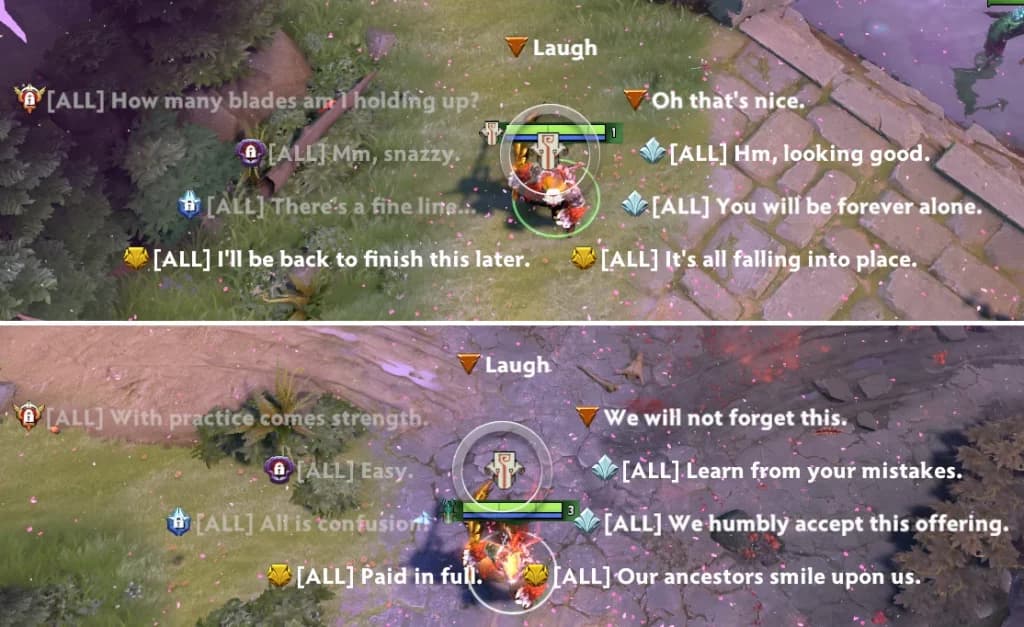
A Dota Plus subscription unlocks additional chat wheel voice lines, but players must earn them by mastering the hero. Reaching the Grandmaster tier on a hero unlocks all available chat wheel voice lines for that specific hero. Even if the Dota Plus subscription is cancelled, these unlocked voice lines remain accessible.
Another type of chat wheel voice line is the "Caster Chat Wheel Line." These include seasonal lines provided by Guilds and some lines that players can purchase only during the TI season. Guild-provided chat wheel lines rotate with each season, ensuring variety. Additionally, Valve has introduced chat wheel voice lines as rewards in recent event updates.
How to Use Chat Wheel Voice Lines
Now that you know about chat wheel voice lines, you might be wondering where to find them and how to use them. Don’t worry, we’ve got you covered. Here’s a step-by-step guide on how to master the art of spamming these lines in Dota 2.
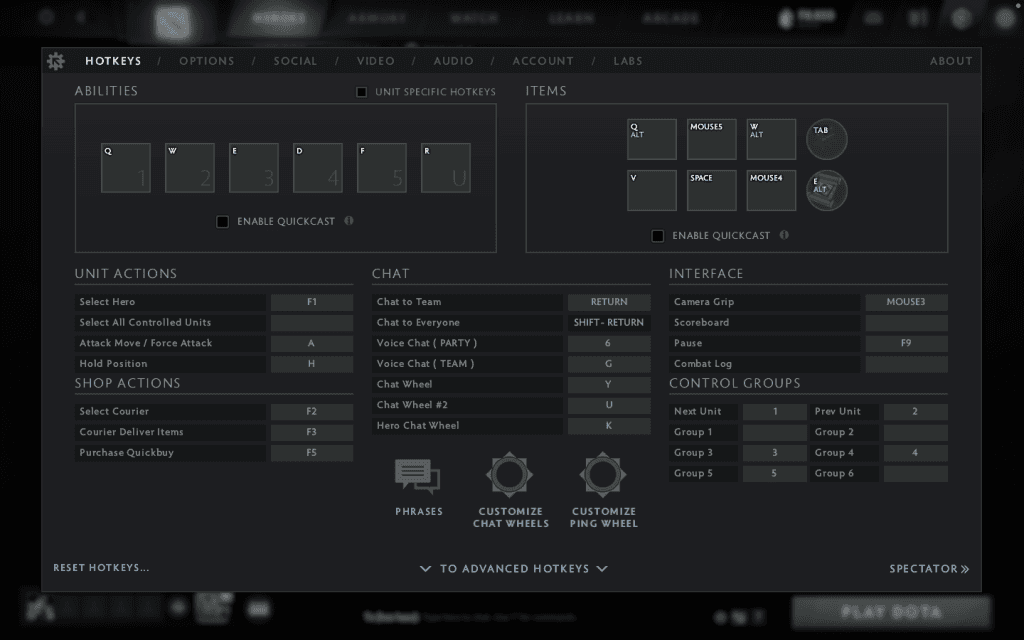
However, keep in mind that only two chat wheel voice lines can be used in quick succession before triggering a cooldown period. Choose your moments wisely!
- First, open the settings menu in Dota 2. From there, navigate to the Hotkeys section.
- In this menu, you will find three settings: Chat Wheel, Chat Wheel #2, and Hero Chat Wheel. In the picture, these are assigned to the keys Y, U, and K, respectively. You can assign them to any key you desire. Use the keys you bind them to access the chat wheel.
Chat Wheel Customisation
To use chat wheel voice lines, you must first customize your chat wheel.
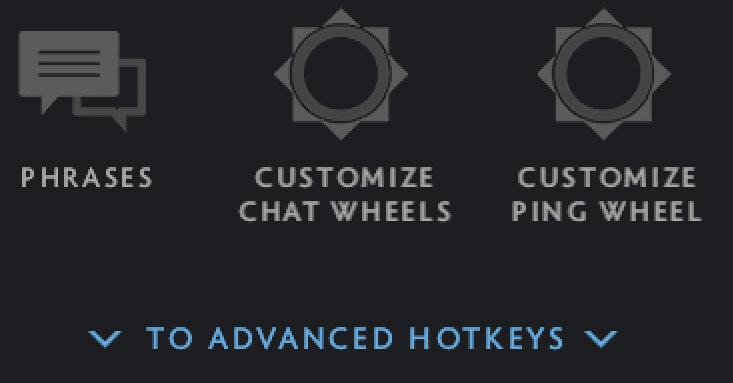
If you’re unsure how to do this, follow the steps below. Below the three chat wheel settings, you’ll find the Customize Chat Wheel option, represented by a chat wheel graphic. Click on it to access the customization menu.
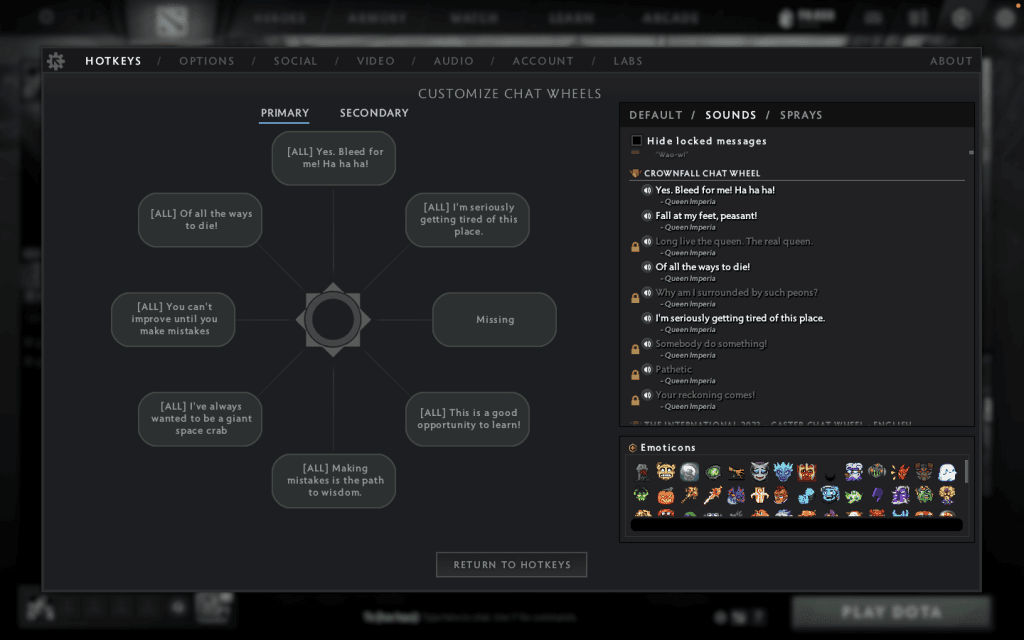
In the customization menu, you’ll see two sections on the left-hand side: Primary and Secondary. These are for primary and secondary chat wheels. On the right-hand side, there are three options: Defaults, Sounds, and Sprays.
The chat wheel voice lines are located under the Sounds menu. To add a voice line to your active chat wheel, click on the line you want to replace, then select the desired sound. This action will swap the two lines.
Chat wheel voice lines were first introduced with The International 2017 Battle Pass. OG famously spammed these lines to gain a psychological edge over their opponents, eventually claiming the championship title. Their antics popularized the now-iconic chat wheel voice line "Lakad Matataag!" which quickly became one of the community’s favourites.
A quick heads-up: spamming chat wheel voice lines can make you a target in public games. Use them sparingly—unless you’re ready to face the heat!
Featured Image Source: Valve
Read More At Strafe Esports: Yatoro Breaks 16000 MMR Record with Drow Ranger!