
Esports Betting
/
Esports Betting News
/
Complete Guide To Fortnite Aim Assist Settings 2025
Complete Guide To Fortnite Aim Assist Settings 2025 - Best Sensitivity Settings
Publish Date: 24/06/2025
Fact checked by:
Mike McKean
Key Points
- Fortnite uses both slow-down and rotational aim assist. Each reacts differently to movement and stick input.
- Linear with 100% Aim Assist Strength is the most-used comp setup. Dead-zones vary 3–8% by controller.
- Creative maps like Raider464’s and Sergeant's Trainer help you fine-tune settings before jumping into ranked.
Fortnite Aim Assist 2025: Best Settings, Gyro Tips & How It Really Works
Let me tell you, nothing annoys me more than losing a shotgun trade to someone just because their reticle stuck a little better. I used to chalk it up to a skill issue until I dug into the aim assist settings and realised how much control I had over it.
This guide goes into how aim assist works in Fortnite right now, why it still matters in 2025, and what settings give you the best edge without making your gameplay feel stiff or unnatural. If you're running linear, exponential, or trying gyro for the first time, this covers everything.

Why aim assist still matters in 2025
If you’re on controller, aim assist isn’t a bonus. It’s the entire reason you can compete in 120 FPS lobbies.
Epic hasn’t fully overhauled aim assist since Chapter 2, but controller players definitely noticed slight shifts in feel after recent weapon tuning and input bugs. Even if Epic isn’t shouting it out in patch notes or on Fortnite betting sites. The meta keeps changing, and aim assist sensitivity needs to keep up with it.
How Fortnite aim assist actually works
There are two types of aim assist in Fortnite, and both kick in differently:
👍
Crosshair slow-down
This one’s simple. When your crosshair passes over a player, your sensitivity slows down. It gives you time to adjust micro-aim without flying past your target.
👍
Rotational assist
This one’s sneakier. It activates when you strafe (move with your left stick), nudging your reticle toward nearby enemies. You won’t always see it, but you’ll definitely feel it in close fights. Especially with SMGs. Rotation kicks in any time you move with the left stick. The strength scales with your right-stick dead-zone.

How to turn it on
Epic moved things around a bit since Chapter 5 started, so here’s the quick path:
Settings ➜ Controller ➜ Sensitivity ➜ Toggle “Use Advanced Options” ➜ Aim Assist Strength
Set the slider anywhere from 0–100%. No restart needed as it updates live.
Recommended controller settings
If you just want a reliable setup without overthinking it, here’s what most competitive controller players are running right now:
| ⚙️ Setting | ▶️ Value | 👍 Why it works |
|---|---|---|
| Look Input Curve | Linear | No acceleration. Tracking is more consistent. |
| Aim Assist Strength | 100% | Maximizes slow-down. |
| Look Dampening Time | 0.00s | Instant input feedback. |
| ADS Sensitivity | 10–12% | Keeps close-range aim steady. |
| Deadzones | 3–8% | Fast trigger response while managing drift. |
Platform-specific tips
Aim assist isn’t exactly the same on every device, even if the settings look identical. Some platforms have hidden boosts, gyro add-ons, or quirks that mess with consistency. Here’s what I’ve noticed across the main platforms.
1️⃣
PC (Controller)
Full aim assist support still works, even in Performance Mode. Just avoid third-party input tools. Some trigger false negatives and disable rotational assist.
2️⃣
PlayStation / Xbox
On PlayStation and Xbox, controller input remains consistent across modes. But some players swear that turning off Look Dampening under Advanced Sensitivity gives them a cleaner flick response, especially when running Exponential.
3️⃣
Switch 2 (Joy-Con 2)
The new Joy-Con gyro can stack with slow-down aim assist. Try 70% strength + gyro fine-tuning. You get aim assist for tracking, but can finish the job yourself.
Gyro aiming is back
And it is better than ever.
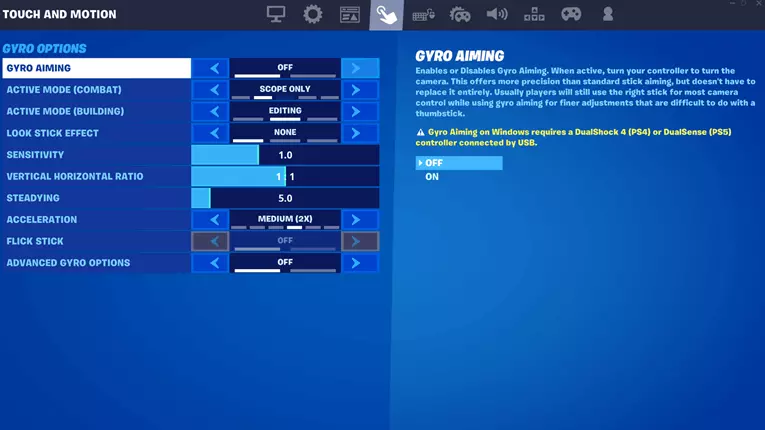
Toggling it on under Settings ➜ Touch & Motion disables rotational aim assist but keeps slow-down. If you’re into flicks and mouse-style adjustments, drop strength to 60–70% so slow-down doesn’t mess with your wrist movement .
The May 2025 patch also increased gyro headroom to 1,000°/sec, which gives more flexibility for fast resets and peeks.
Advanced settings
This part depends a lot on your playstyle, and how much drift you’re willing to deal with.
✅
Low Deadzones (under 5%)
Your aim assist kicks in faster and feels snappier. But you might get unwanted camera drift if your stick isn’t perfect.
✅
Higher Deadzones (above 6%)
Feel more stable, but they can slightly delay that assist “pull” when you need it most.
✅
Input curves
- Linear - Gives you raw, direct control. Great for tracking with sprays.
- Exponential - Starts slow and ramps up, which works better for pumps or flick-heavy edits.
Best Creative maps to practise aim assist
If you want to actually feel how the Fortnite aim assist behaves under pressure, Creative mode is your best friend. These maps let you test both slow-down and rotational aim assist in real scenarios, without the pressure of real matches.
Raider464’s Switch Peek 1v1
This map is all about fast corner edits and shotgun swaps. You’re constantly peeking, firing, and moving. Perfect conditions for rotational assist to kick in. It’s great for muscle memory and learning when aim assist starts helping (or holding you back).

Sergeant's mixed range trainer
Targets spawn anywhere from close-range to long-range (10 to 80 meters), so you’ll feel the difference in slow-down at each distance. Ideal for SMG beams or DMRs where staying inside the deadzone really matters.
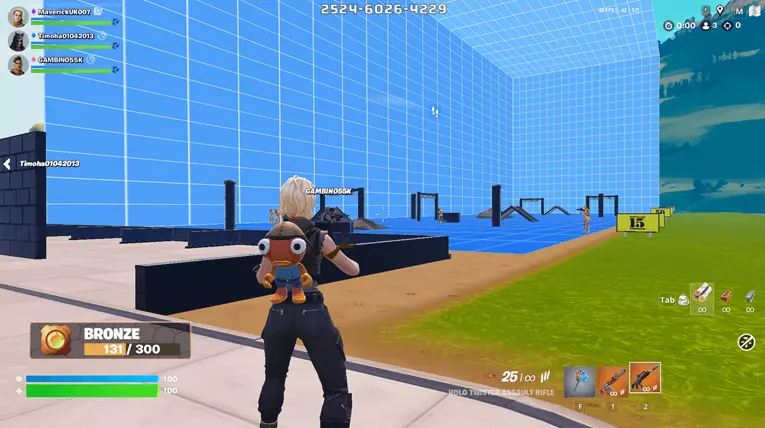
Jibb’s gyro hybrid map
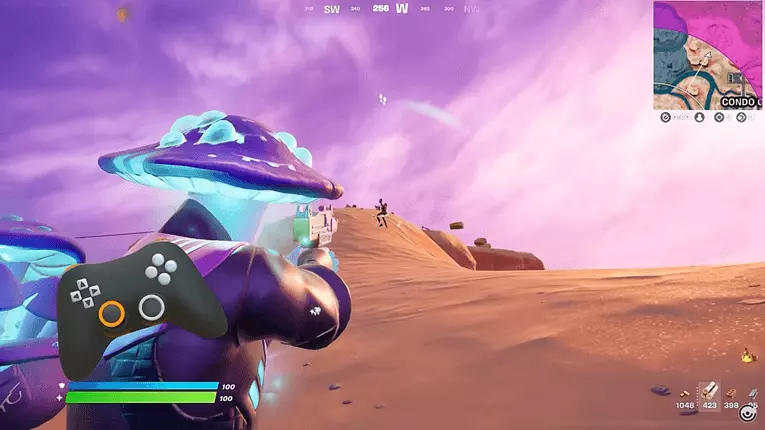
If you’re using Switch 2 or a gyro-enabled controller, this map is essential. It toggles between pure aim assist zones and gyro-only zones, helping you dial in your personal balance. Try running 70% Strength with flick assist for a hybrid feel.
Fortnite aim assist is a great tool
At the end of the day, aim assist in Fortnite isn’t magic. It’s actually just muscle memory plus smart settings.
Don’t be afraid to hop into Creative, tinker for 10 minutes, and change something if it feels off. One percent here or there can make a world of difference. Especially when you’re in a 1v1 and your SMG beams decide the outcome.
Keep it dialled, keep it flexible, and most importantly, don’t forget to check your input icon before queuing. You don’t want to end up in a keyboard lobby wondering why your reticle feels like it’s on ice skates. Have fun out there, and may your crosshair always be just a little bit stickier than theirs.
The Best Sites with the Highest Bonuses




3.

4.7/5
Copy
T&Cs / 18+

4.
4.5/5
Visit PlayBracco
T&Cs / 18+

5.
4.5/5
Visit Prophet X
T&Cs / 18+
Latest News
Every free Fortnite cosmetic you can unlock right now: Your guide to exclusiv...
Fortnite has a variety of free skins, emotes, ...
Master the Overpowered Weapons in Fortnite: They’re Back to Haunt Us in 2026
Overpowered weapons can be real game changers in ...
Dota 2 Salaries Impact: Are High Pro Wages Harming the Esports Scene in 2026?
Several esports organizations are pulling out of the ...
Projecting Mobile Legends player count for 2026: Trends and forecasts
Mobile Legends: Bang Bang (MLBB) has long been ...
VALORANT Patch Notes 12.11 2026: Detailed Overview and Expert Guide on Creati...
Hello Valorant fans. A new update is here, ...
Latest News:
- $750 million video game cheating ring shutdown by police in China
- 10 best Fortnite seasons ever, ranked
- 10 worst Fortnite skins ever released
- 5 changes Valve needs to make to fix Largo in Dota 2: Essential improvements for a better experience this 2026
- 5 heroes we expect to dominate the Dota 2 meta in 2026: Expert predictions and analysis
- 5 strategies for PUBG's relevance in 2026: Insights on future updates and community engagement
- 5 things we want from Apex Legends in 2026: Features and improvements we hope to see
- 500 makes a comeback against Furia and moves to the Quarter-Finals!
- A rundown on the IEM Sydney 2023 Europe Open Qualifier 1. What went down?
- Aftermath of ESL Pro League 18's Opening Rounds – Group C
MORE ON ESPORTS
🥇 COMPETITIVE ESPORTS
🔥 NEWS & HOT TOPICS
Our News Sitemap:
Our Team